

Agentforce is Salesforce’s platform for building, customizing, deploying, and managing autonomous AI agents that can perform business tasks for customers and employees. Unlike a traditional chatbot that mainly responds to questions, an Agentforce agent can understand a request, retrieve relevant business information, reason through what needs to happen, take actions, and hand a task to a human when it reaches the limits of its instructions or permissions.
Salesforce positions Agentforce as a way to provide 24/7 AI-powered support across websites, phones, applications, CRM workflows, Slack, and other business channels. The platform is built into the Salesforce ecosystem and can work with business data, existing automation, APIs, and custom business logic.
In simple terms, Agentforce turns AI from a system that only generates answers into a system that can perform defined work.
Salesforce currently describes Agentforce around three core requirements: data, reasoning, and actions. An agent needs reliable business context, a mechanism for deciding what to do, and access to tools that allow it to complete the task.
How Does Agentforce Work?
Agentforce combines large language models, enterprise data, reasoning, business rules, and actions within the Salesforce Platform.
A simplified workflow looks like this:
User request or trigger → Business data → Reasoning → Plan → Action → Result → Human escalation when needed
For example, imagine a customer asking, “Where is my order?”
An Agentforce agent could authenticate the customer, retrieve the relevant order information, check the order-management system, and return the current status. The agent is not simply generating a sentence about an order. It is using connected systems and predefined actions to complete the underlying task. Salesforce’s pricing documentation uses a similar order-status example to explain how actions are metered.
1. Data
Agents need access to relevant information before they can make useful decisions.
Agentforce can use Salesforce CRM data and other business data available through Salesforce’s data capabilities. Salesforce describes its platform as connecting agents to business data and metadata to provide context-rich responses.
This can include information such as:
- Customer records
- Product information
- Orders
- Cases
- Sales opportunities
- Knowledge articles
- Employee information
- Business policies
- External data sources
- Data connected through APIs
The quality and accessibility of this data matter because an autonomous agent can only make useful decisions when it has appropriate information and permissions.
2. Reasoning
After receiving a request, the agent needs to determine what should happen next.
Salesforce says Agentforce uses the Atlas Reasoning Engine to break an initial request into smaller tasks, evaluate the steps, and propose a plan for completing the request.
This is one of the major differences between a conventional chatbot and an AI agent.
A chatbot might respond:
“Your order is being processed.”
An agent can potentially determine:
- Who is making the request?
- Which order belongs to that customer?
- What is the current order status?
- Does another system contain updated information?
- What action should be taken?
- What information should be returned to the customer?
The exact actions depend on how the organization configures the agent.
3. Actions
Reasoning alone does not complete business work. The agent also needs tools and actions.
Salesforce says businesses can use tools such as Flows, Prompts, Apex, and MuleSoft APIs when building agents. These can allow an agent to interact with existing Salesforce automation, applications, systems, and business logic.
An action could involve:
- Updating a CRM record
- Retrieving customer information
- Creating or updating a case
- Running a Flow
- Calling an external API
- Scheduling an appointment
- Sending information
- Executing custom business logic
This action layer is what makes an agent useful for operational workflows rather than simply conversational.
Agentforce vs Traditional Chatbots
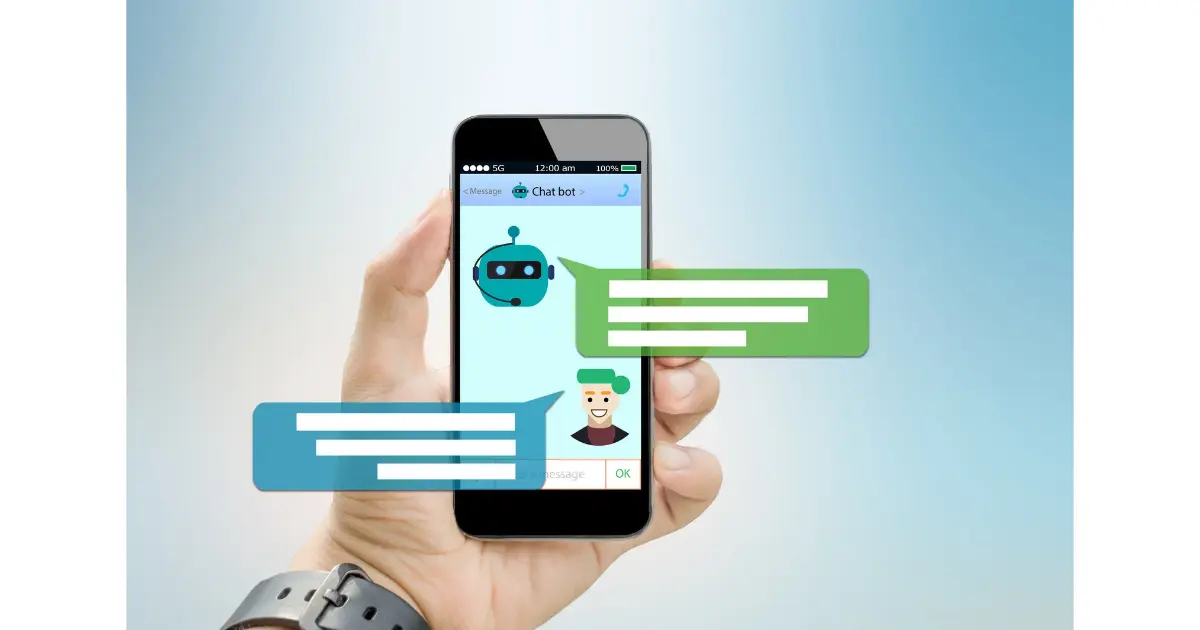
Traditional chatbots generally follow predefined conversation paths or answer questions from a limited knowledge base.
Agentforce is designed for more dynamic workflows where an AI agent can reason about a request and perform configured actions.
| Capability | Traditional chatbot | Agentforce |
|---|---|---|
| Answer questions | Yes | Yes |
| Use business context | Limited or configured | Yes |
| Reason through multi-step requests | Limited | Yes |
| Take business actions | Limited | Yes |
| Connect with Salesforce workflows | Not inherently | Yes |
| Use Flows and Apex | No | Yes |
| Connect through APIs | Depends on implementation | Yes, including MuleSoft |
| Operate across channels | Depends on implementation | Yes |
| Escalate to humans | Often | Yes |
| Autonomous task execution | Limited | Core capability |
The distinction is important: Agentforce is not simply Salesforce’s version of a customer-service chatbot. Its purpose is to let AI agents perform defined jobs using enterprise data, tools, instructions, and guardrails.
What Can Agentforce Do?
Salesforce presents Agentforce for a range of customer-facing and employee-facing applications. Current examples include customer service, contact centers, field service, employee service, sales, and IT service.
Customer Service
A customer-service agent can help answer questions, resolve cases, manage orders, troubleshoot problems, and escalate issues that require human assistance.
The goal is to provide always-on support while allowing human service representatives to focus on cases that require judgment or specialist involvement.
Contact Center
Agentforce can support contact-center workflows such as routing incoming calls, retrieving customer history, and recording interaction information.
Voice capabilities extend AI-agent interactions beyond text-based interfaces.
Field Service
Field-service scenarios can include scheduling technician visits, checking work-order status, and confirming parts availability.
This can reduce the amount of manual coordination required for routine service operations.
Employee Service
Agentforce can provide specialized assistance to employees.
Examples include:
- Answering internal questions
- Processing routine requests
- Helping employees find information
- Automating repetitive tasks
- Supporting onboarding workflows
Salesforce describes employee agents as assistants that can search for data, create action plans, and execute tasks within the flow of work.
Sales
Sales agents can support activities such as qualifying inbound leads, updating opportunities, answering product questions, handling objections, and helping sales representatives move deals forward.
The objective is not necessarily to replace salespeople. Instead, agents can take care of defined repetitive work while sales teams focus on relationship-building and higher-value activities.
IT Service
Agentforce can also support IT-related tasks such as help-desk requests, system alerts, and user-access workflows.
The actual capabilities depend on the actions, systems, permissions, and guardrails configured for the particular agent.
What Is Agentforce Agent Builder?
Agentforce Agent Builder is Salesforce’s low-code environment for creating and customizing AI agents.
Salesforce says Agent Builder can be used to create or customize agents by defining subagents, writing natural-language instructions, and providing actions the agent can select when completing its work. Developers and administrators can also use existing Salesforce technologies such as Flows, Prompts, Apex, and MuleSoft APIs.
This means organizations do not necessarily need to build every AI agent completely from scratch.
A typical development process can involve:
- Define the agent’s role.
- Identify the job the agent needs to perform.
- Provide trusted business information.
- Define subagents and instructions.
- Create or connect actions.
- Configure security and guardrails.
- Test the agent.
- Deploy it to the required channels.
- Monitor its performance.
- Improve the agent based on results.
Salesforce’s current implementation documentation explicitly describes a lifecycle that includes planning, setting up the Salesforce environment, building, testing, deploying, and monitoring agents.
What Are Agentforce Subagents?
Subagents represent specialized areas of work within an agent.
For example, an organization could configure an agent with separate capabilities for:
- Order support
- Product questions
- Returns
- Account information
- Technical troubleshooting
Salesforce’s documentation notes that agent topics were renamed to subagents beginning in April 2026. During the transition, some Salesforce documentation may still contain the older terminology.
This distinction is useful when researching Agentforce because older tutorials may refer to “topics” while newer Salesforce documentation uses “subagents.”
What Is Agentforce Agent Script?
Agent Script gives builders more precise control over agent behavior.
Salesforce describes Agent Script as a way to create business-ready agents with greater control and reliability.
This matters because autonomous AI systems should not rely entirely on open-ended model behavior.
Businesses often need explicit rules around:
- What the agent can do
- What information it can access
- Which actions require additional conditions
- When the agent must stop
- When a human should take over
- Which workflows should be deterministic
This is where deterministic business logic can complement generative AI.
What Are Agentforce Guardrails?
Autonomous agents need boundaries.
Agentforce guardrails determine what an agent can and cannot do. Salesforce describes guardrails as including natural-language instructions for situations such as human escalation, along with security controls provided through the Salesforce platform and Einstein Trust Layer.
For example, an organization could require an agent to:
- Escalate sensitive requests to a human
- Avoid changing certain records
- Request authentication before accessing account information
- Follow specific business policies
- Use approved data sources
- Stop when a required condition is not satisfied
This is particularly important for enterprise AI because autonomy without controls can create operational and security risks.
Agentforce and Human Agents
Agentforce is designed around cooperation between AI agents and people.
A useful implementation does not require every task to be completely autonomous.
Instead, organizations can divide work according to complexity.
AI agent:
- Handles repetitive questions
- Retrieves information
- Performs routine actions
- Processes common requests
- Works outside normal business hours
Human employee:
- Handles unusual situations
- Makes higher-impact decisions
- Manages sensitive cases
- Provides specialist judgment
- Takes over when the agent reaches its boundaries
Salesforce explicitly describes autonomous agents as operating within defined guardrails and escalating to humans when necessary.
Agentforce Platform Capabilities

Agentforce has expanded beyond basic agent creation. Salesforce currently highlights several components of the platform.
Agent Development Lifecycle
The platform provides tools for building, running, testing, deploying, and scaling agents.
Agent Builder
Used to configure agents, subagents, actions, and instructions through a low-code interface.
Agent Script
Provides more precise control over agent behavior and business logic.
Agentforce Voice
Extends AI-agent interactions into voice-based experiences. Salesforce currently positions Agentforce Voice as a way to bring AI-powered voice to channels used by customers and employees.
Agentforce Observability
Observability tools help organizations monitor, analyze, and optimize agent performance.
Agentforce MCP Support
Salesforce also lists support for the Model Context Protocol (MCP), allowing connections to additional tools and resources through supported MCP server integrations.
Multi-Agent Orchestration
Salesforce describes multi-agent orchestration as a way to build collaborative agent teams that can work together on more complex problems.
Agentforce Use Cases
Agentforce can be applied to many business workflows.
| Use case | Example agent task | Potential business outcome |
|---|---|---|
| Customer service | Answer questions and resolve cases | Faster support |
| Employee support | Answer internal questions | Higher employee productivity |
| Appointment scheduling | Book and reschedule appointments | Less manual coordination |
| Sales development | Qualify leads and book meetings | More efficient sales workflows |
| Product recommendation | Help customers select products | More personalized experiences |
| Event support | Provide event information and manage logistics | Better attendee experience |
| IT service | Handle routine help-desk tasks | Faster issue resolution |
| Field service | Schedule technicians and update work orders | More efficient operations |
These are examples of the types of workflows Salesforce currently promotes for Agentforce. Actual results depend on implementation, data quality, integrations, permissions, and the complexity of the business process.
How Do You Build an Agentforce Agent?
Building an effective agent is more than writing a prompt.
A practical implementation starts with the business problem.
Step 1: Define the job
Start with a specific task.
For example:
“Help customers check their order status.”
This is more useful than a vague goal such as:
“Build an AI customer-service agent.”
Step 2: Identify required data
Determine which information the agent needs.
For an order-status agent, this might include:
- Customer identity
- Order number
- Order status
- Shipping information
- Estimated delivery date
Step 3: Define actions
Determine what the agent must actually do.
Possible actions include:
- Authenticate the customer
- Retrieve order information
- Check shipping status
- Update a case
- Escalate to a human
Step 4: Configure instructions and subagents
Define the agent’s responsibilities, boundaries, and expected behavior.
Step 5: Add guardrails
Specify when the agent can act independently and when it must stop or escalate.
Step 6: Test
Test normal requests as well as unusual and failure scenarios.
Important tests should include:
- Missing information
- Incorrect information
- Ambiguous requests
- Unauthorized requests
- API failures
- Unexpected user behavior
- Human escalation
Step 7: Deploy
Once the agent has been tested, deploy it to the appropriate channel.
Step 8: Monitor and improve
Agent development does not end at deployment. Organizations need to monitor agent behavior, identify failures, analyze outcomes, and improve instructions, actions, data, and workflows.
Agentforce Pricing: How Much Does It Cost?
Agentforce pricing depends on how the organization deploys and uses the platform.
Salesforce currently lists several pricing approaches, including Salesforce Foundations, Flex Credits, Conversations, and per-user licensing.
Salesforce currently lists:
| Pricing option | Current Salesforce-listed price |
|---|---|
| Salesforce Foundations | $0 |
| Flex Credits | $500 per 100,000 credits |
| Conversations | $2 per conversation |
| Agentforce add-ons | From $125/user/month |
| Agentforce Industries add-ons | From $150/user/month |
| Agentforce 1 Editions | From $550/user/month |
| Agentforce User License | $5/user/month, requires Flex Credits |
These prices are based on Salesforce’s current published pricing page and can change. Some products and licensing options also have edition, feature, or contractual requirements.
What Are Agentforce Flex Credits?
Flex Credits are a consumption-based unit used to measure certain Agentforce actions.
Salesforce explains that actions such as updating a record, answering a product question, summarizing a case, or executing a custom prompt or Flow can consume Flex Credits.
Salesforce currently states that standard Agentforce actions use 20 Flex Credits, while Agentforce Voice actions use 30 Flex Credits.
Therefore, the real cost of an Agentforce implementation depends heavily on:
- Number of users
- Number of customer interactions
- Number of agent actions
- Voice usage
- Connected systems
- Licensing model
- Salesforce edition
- Required features
For production planning, businesses should use Salesforce’s current pricing information and their specific contract rather than relying on a generic “Agentforce costs X” figure.
Agentforce Benefits
Agentforce can provide several potential advantages for organizations with suitable workflows.
24/7 Availability
Agents can operate continuously, allowing businesses to support customers and employees outside traditional working hours.
Automation of Repetitive Work
Agents can handle routine tasks that would otherwise require employees to repeatedly retrieve information, update records, or perform standard workflows.
Faster Responses
Automated agents can respond immediately to supported requests instead of requiring customers or employees to wait for a human representative.
Salesforce Integration
Because Agentforce is built into the Salesforce ecosystem, organizations can connect agents to CRM data, Salesforce automation, and existing business logic.
Scalability
An organization can deploy agents across multiple teams and channels without treating every interaction as a separate manual process.
Human Escalation
Agentforce can be configured to hand complex or unsupported situations to human employees instead of attempting to handle every situation autonomously.
Agentforce Limitations and Challenges
Agentforce should not be viewed as an automatic replacement for human workers or a guaranteed solution for every business process.
Data Quality Matters
Poor, incomplete, outdated, or inaccessible business data can reduce the usefulness of an agent.
Agent Configuration Requires Planning
A low-code platform makes development easier, but organizations still need to define roles, data access, actions, business rules, testing procedures, and escalation paths.
Autonomous Actions Need Controls
An agent that can modify records or execute workflows has more operational impact than an AI system that only generates text.
Integration Complexity
Real-world organizations often use multiple systems. Connecting those systems securely and reliably can require APIs, MuleSoft, custom code, or other integration work.
Costs Depend on Usage
Consumption-based pricing means costs can vary with the number and type of actions or conversations. Organizations should model expected usage before large-scale deployment.
AI Is Not Automatically Correct
An AI agent can still make mistakes. Grounding, permissions, deterministic logic, testing, observability, and human escalation are therefore important parts of an enterprise deployment.
Agentforce vs ChatGPT
Agentforce and ChatGPT can both use generative AI, but they are designed around different product ecosystems and workflows.
ChatGPT is a general-purpose AI assistant that can help with writing, research, coding, analysis, and many other tasks.
Agentforce is designed specifically around enterprise AI agents that operate within business workflows and Salesforce’s platform.
The distinction is not simply “which AI is smarter?”
The more useful question is:
Which system is designed for the workflow you need to automate?
For example, an organization deeply invested in Salesforce may want an agent that can work with CRM records, Salesforce automation, permissions, business processes, and connected enterprise systems. Agentforce is designed around that environment.
Is Agentforce the Same as Einstein?
No.
Salesforce describes Einstein as AI capabilities embedded into the Salesforce Platform that use CRM and external application data to provide insights, predictions, and generated content.
Agentforce focuses on autonomous AI agents that can understand requests, create plans, retrieve information, and execute actions.
The technologies are part of the broader Salesforce AI ecosystem, but they are not interchangeable terms.
Who Is Agentforce For?
Agentforce is primarily relevant to organizations that want to introduce AI agents into business workflows.
Potential users include:
- Customer-service teams
- Sales organizations
- Marketing teams
- IT departments
- HR and employee-service teams
- Field-service organizations
- Contact centers
- Salesforce administrators
- Developers
- Enterprise AI teams
It becomes particularly relevant when an organization has repeatable processes, structured business data, existing Salesforce workflows, and a clear reason to automate work.
The Future of AI Agents in Enterprise Software

The shift from conversational AI to agentic AI changes how businesses think about automation.
A traditional software workflow might require a person to:
- Find the customer.
- Search for information.
- Open another system.
- Perform an action.
- Update the CRM.
- Send a response.
An AI agent can potentially coordinate several of those steps.
However, this does not mean every business process should become autonomous.
The most practical approach is usually to start with well-defined workflows where the expected inputs, actions, permissions, and outcomes are relatively clear.
As agent platforms mature, important areas will include:
- Agent reliability
- Evaluation
- Observability
- Security
- Governance
- Human escalation
- Multi-agent coordination
- Data quality
- Cost management
- Integration
Agentforce reflects this broader transition from AI that generates content toward AI that can reason about a task and perform configured actions.
Frequently Asked Questions About Agentforce
What is Agentforce?
Agentforce is Salesforce’s platform for building and deploying autonomous AI agents that can support customers and employees, retrieve business information, reason through tasks, and execute configured actions.
Is Agentforce an AI agent?
Agentforce is the platform used to create and manage AI agents. An individual Agentforce agent is an autonomous application configured for a specific role or business task.
How does Agentforce work?
Agentforce combines business data, reasoning, and actions. Salesforce says the Atlas Reasoning Engine breaks requests into smaller tasks, evaluates them, and proposes a plan before the agent completes the requested work.
What is Agentforce Agent Builder?
Agentforce Agent Builder is Salesforce’s low-code environment for building and customizing agents using components such as subagents, instructions, actions, Flows, Prompts, Apex, and MuleSoft APIs.
Does Agentforce replace human employees?
Agentforce is designed to work alongside employees as well as perform autonomous tasks. Salesforce describes agents as handling certain tasks while escalating situations that require human involvement.
Does Agentforce use LLMs?
Yes. Salesforce says its AI agents use large language models to understand context and reason about next steps.
Does Agentforce use Salesforce CRM data?
Yes. Agentforce can use Salesforce CRM data and other connected business data as context for agent responses and actions.
How much does Agentforce cost?
Salesforce currently offers multiple pricing models, including Salesforce Foundations, Flex Credits, Conversations, and user-based licensing. Published prices vary by model and can change.
What are Agentforce subagents?
Subagents are specialized areas of work within an Agentforce agent. Salesforce changed the terminology from “agent topics” to “subagents” in April 2026.
Is Agentforce only for customer service?
No. Salesforce promotes Agentforce across customer service, sales, marketing, commerce, employee workflows, IT, field service, and other business use cases.
Final Takeaway
Agentforce is Salesforce’s approach to enterprise AI agents that can do more than generate answers.
Its core idea is straightforward: give an AI agent a defined role, trusted business information, instructions, tools, and appropriate permissions so it can reason about a request and perform useful work.
The platform combines data, reasoning, actions, integrations, guardrails, testing, and observability to support AI-driven workflows across customer and employee experiences.
For businesses already using Salesforce, Agentforce can provide a way to bring autonomous AI into existing CRM and operational workflows rather than treating AI as a separate standalone chatbot.
The important part is not simply giving an AI agent more autonomy. It is defining what the agent should do, what data it can use, which actions it can take, what rules it must follow, and when a human should take over.
That is ultimately what determines whether an AI agent becomes a useful business system or simply another AI interface.

AiVoogle – AI Tutorials & AI Tools
AiVoogle is an AI-focused platform sharing practical AI tutorials, AI tools, guides, reviews, and the latest trends in artificial intelligence. Our goal is to make AI simple, useful, and accessible for everyone—from beginners and creators to marketers, developers, and businesses.
The AiVoogle team researches and covers the latest AI tools and technologies to help readers discover the right tools and learn how to use AI effectively.
Focus: AI Tutorials | AI Tools | AI Guides | AI News | AI Reviews