
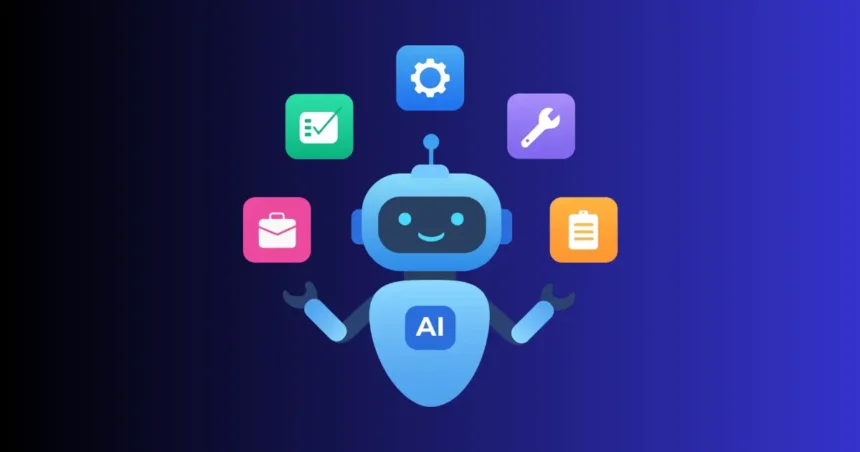
Artificial intelligence has quickly moved from an emerging technology to a practical part of everyday work. Today, AI tools can help you write content, analyze information, generate images, research topics, write code, summarize documents, automate workflows, and solve complex problems.
But with thousands of AI tools available, choosing the right one can be difficult.
In this guide, we will cover 10 popular AI tools those you should know, including what each tool is best suited for, who can benefit from it, and where it fits into a modern AI workflow.
Quick Overview of the Top 10 AI Tools
| AI Tool | Best For | Key Strength |
|---|---|---|
| Claude | Coding, reasoning and complex work | Long-context analysis and development |
| ChatGPT | All-round AI assistance | Writing, reasoning, coding, research and data analysis |
| Gemini | Multimodal AI and Google ecosystem | Google services and multimodal workflows |
| Microsoft Copilot | Workplace productivity | Microsoft 365 integration |
| Perplexity | AI search and research | Web-based research and source discovery |
| DeepSeek | Reasoning and coding | Reasoning and coding-focused models |
| Grok | Real-time information | Web and X-related information |
| GitHub Copilot | Software development | AI assistance inside coding workflows |
| NotebookLM | Learning and document research | Working with your own source material |
| Cursor | AI-powered coding | AI-first codebase development |
1. Claude
Best for: Coding, reasoning and complex work
Claude is an AI assistant developed by Anthropic. It is widely used for tasks that require detailed reasoning, writing, analysis, coding, and working with large amounts of information.
Developers can use Claude to understand codebases, troubleshoot problems, generate code, review implementations, and work through technical requirements.
It can also be useful when you need to analyze long documents or transform large amounts of text into a structured format.
What can you use Claude for?
- Writing and editing
- Software development
- Code review and debugging
- Long-document analysis
- Research and summarization
- Complex reasoning
- Data and technical analysis
- Agentic workflows
Claude can be particularly useful when a task requires more than a simple question-and-answer interaction.
2. ChatGPT
Best for: All-round AI assistance
ChatGPT is a general-purpose AI assistant that can be used across a wide range of personal, educational, creative, and professional workflows.
Depending on the available features and model, you can use it for writing, coding, research, data analysis, brainstorming, image-related tasks, document work, and automation-oriented workflows.
For businesses and individuals, one of its biggest advantages is its broad range of use cases.
What can you use ChatGPT for?
- Content writing and editing
- Coding and debugging
- Research
- Data analysis
- Brainstorming
- Learning and education
- Image generation and analysis
- Document analysis
- Business workflows
- AI-assisted automation
Instead of being designed around one specific task, ChatGPT can act as a general AI workspace for many different activities.
3. Gemini
Best for: Multimodal AI and the Google ecosystem
Gemini is Google’s AI model and assistant ecosystem. It is designed to work with different types of information, including text, images, documents, and code.
One of Gemini’s important advantages is its connection to Google’s broader ecosystem. Depending on the product and account configuration, Gemini can work alongside Google services and Workspace applications.
What can you use Gemini for?
- Research
- Writing
- Summarizing documents
- Understanding images
- Coding
- Brainstorming
- Working with files
- Google Workspace-related tasks
If your daily workflow already revolves around Google products, Gemini can be a natural AI option to explore.
4. Microsoft Copilot
Best for: Workplace productivity
Microsoft Copilot is Microsoft’s family of AI assistants and features designed to help users work with Microsoft products and services.
Its workplace use cases can include writing and summarizing content, analyzing information, creating presentations, working with spreadsheets, and assisting with communication.
Depending on the version and subscription, Copilot can integrate with parts of the Microsoft 365 ecosystem, including applications such as Word, Excel, PowerPoint, Outlook, Teams, and other Microsoft services.
What can you use Microsoft Copilot for?
- Drafting documents
- Summarizing emails and meetings
- Working with spreadsheets
- Creating presentations
- Workplace research
- Business communication
- Productivity assistance
For organizations already using Microsoft 365, Copilot can bring AI assistance closer to the applications employees use every day.
5. Perplexity
Best for: AI-powered search and research
Perplexity focuses heavily on AI-assisted search and research.
Instead of simply returning a list of traditional search results, it can provide conversational answers and identify sources that can be explored further.
This makes it useful when you want to investigate a topic, compare information, discover sources, or quickly understand a subject.
What can you use Perplexity for?
- Web research
- Current-information searches
- Topic exploration
- Source discovery
- Research questions
- Comparisons
- Follow-up questions
Perplexity can be especially useful when your workflow starts with a question and you need to investigate information across multiple online sources.
6. DeepSeek
Best for: Reasoning and coding
DeepSeek is an AI model family known for its focus on reasoning and coding capabilities. Its models have attracted significant attention from developers, researchers, and AI enthusiasts.
DeepSeek can be useful for programming problems, technical questions, mathematical reasoning, and other tasks where structured problem-solving is important.
What can you use DeepSeek for?
- Coding
- Debugging
- Technical questions
- Mathematical reasoning
- Problem solving
- AI experimentation
- Working with open-weight models
One reason DeepSeek is particularly interesting to the AI community is its contribution to the broader discussion around efficient and open-weight AI models.
7. Grok
Best for: Real-time information and X
Grok is an AI assistant developed by xAI. It has a strong connection to the X platform and can be useful for exploring current discussions and information.
Depending on the product configuration and available access, Grok can combine conversational AI capabilities with web-based information and content from X.
What can you use Grok for?
- Current-information research
- Web searches
- Exploring discussions on X
- Question answering
- Writing
- Reasoning
- Brainstorming
Its connection to X can make it particularly relevant when you want to understand what people are discussing on the platform.
8. GitHub Copilot
Best for: Software development
GitHub Copilot is an AI coding assistant designed to help developers write and work with software.
Rather than functioning primarily as a general-purpose chatbot, Copilot is integrated into developer workflows and coding environments.
It can help generate code, explain existing code, suggest implementations, identify potential problems, and assist developers while they work on projects.
What can you use GitHub Copilot for?
- Code completion
- Code generation
- Debugging
- Code explanation
- Test generation
- Refactoring
- Documentation
- Developer productivity
For professional developers, the value of an AI coding assistant often comes from how closely it fits into the existing development environment.
9. NotebookLM
Best for: Learning and document research
NotebookLM is Google’s AI-powered research and learning tool designed around user-provided sources.
Instead of asking an AI to answer questions using only general knowledge, you can provide relevant documents and use them as the foundation for your research and learning workflow.
This can be useful for students, researchers, professionals, and anyone who regularly works with large collections of documents.
What can you use NotebookLM for?
- PDF research
- Document summarization
- Study materials
- Research notes
- Source-based question answering
- Understanding complex documents
- Organizing information
For example, you could provide research papers, reports, notes, or other supported sources and then ask questions based on those materials.
10. Cursor
Best for: AI-powered coding
Cursor is an AI-first code editor designed around software development with AI assistance.
It can help developers understand existing code, generate new code, modify files, debug problems, and work across larger codebases.
One of its key ideas is bringing AI directly into the coding environment instead of requiring developers to constantly switch between an editor and a separate chatbot.
What can you use Cursor for?
- Code generation
- Codebase understanding
- Debugging
- Refactoring
- Multi-file changes
- Documentation
- Software development
- AI-assisted programming
Cursor can be particularly useful for developers who want AI to participate directly in their coding workflow.
How to Choose the Right AI Tool
The best AI tool for you depends on the task you want to accomplish.
If you need a general-purpose AI assistant, tools such as ChatGPT, Claude, or Gemini cover a broad range of workflows.
If your primary goal is research, Perplexity and NotebookLM offer different approaches. Perplexity is oriented toward web research, while NotebookLM is designed around working with your own source material.
For coding, Claude, GitHub Copilot, Cursor, ChatGPT, and DeepSeek can all be useful, although they fit different development workflows.
For workplace productivity, Microsoft Copilot can be especially relevant when your organization already uses Microsoft 365.
AI Tool Selection by Use Case
| Your Goal | Tools to Explore |
|---|---|
| General AI assistance | ChatGPT, Claude, Gemini |
| Coding | Claude, ChatGPT, DeepSeek |
| AI-powered search | Perplexity |
| Document research | NotebookLM, Claude |
| Microsoft 365 productivity | Microsoft Copilot |
| Coding inside an IDE | GitHub Copilot |
| AI-first code editor | Cursor |
| Current discussions and X | Grok |
| Reasoning and technical tasks | Claude, DeepSeek, ChatGPT |
AI Tools Are Not One-Size-Fits-All
A common mistake is looking for one AI tool that does everything perfectly.
Modern AI tools increasingly overlap, but their interfaces, integrations, models, strengths, source handling, pricing, privacy options, and workflows can differ significantly.
For example, a developer may use one tool for generating code, another for researching technical documentation, and another for managing a large project.
Similarly, a content creator might use an AI assistant for brainstorming, an AI search tool for research, and specialized AI tools for image or video generation.
The better approach is to choose tools based on the specific workflow you need to improve.
What to Consider Before Using an AI Tool
Before adding an AI tool to your workflow, consider more than its popularity.
1. Accuracy
AI systems can produce incorrect or outdated information. For important decisions, verify critical information using reliable sources.
2. Privacy
Check how the service handles your prompts, uploaded files, personal information, and business data.
3. Integrations
A tool becomes more useful when it fits naturally into the applications you already use.
4. Cost
Many AI tools offer free access with limitations, while advanced features may require a subscription or organizational plan.
5. Workflow
Consider whether the tool actually saves time. A powerful AI system may not be useful if it adds unnecessary steps to your workflow.
6. Data and Sources
For research tasks, understand where the AI gets information from and whether you can inspect or verify its sources.
Final Thoughts
The AI landscape is changing quickly, and the most useful tool depends on what you are trying to accomplish.
Claude is useful for complex reasoning and development tasks, ChatGPT provides broad general-purpose capabilities, and Gemini connects AI with Google’s ecosystem. Microsoft Copilot focuses heavily on workplace productivity, while Perplexity is designed around AI-assisted search and research.
For developers, GitHub Copilot, Cursor, DeepSeek, Claude, and other coding-focused tools provide different ways to integrate AI into software development.
Meanwhile, NotebookLM offers a source-focused approach to learning and document research, and Grok provides AI assistance with a strong connection to X and current information.
Rather than trying every AI tool, start with the tools that match your actual needs. As your workflow changes, you can add specialized AI tools where they provide a clear benefit.
Want more useful AI tools and practical AI guides? Follow AiVoogle for more AI tutorials, tools, comparisons, and how-to guides.

AiVoogle – AI Tutorials & AI Tools
AiVoogle is an AI-focused platform sharing practical AI tutorials, AI tools, guides, reviews, and the latest trends in artificial intelligence. Our goal is to make AI simple, useful, and accessible for everyone—from beginners and creators to marketers, developers, and businesses.
The AiVoogle team researches and covers the latest AI tools and technologies to help readers discover the right tools and learn how to use AI effectively.
Focus: AI Tutorials | AI Tools | AI Guides | AI News | AI Reviews