

Creating professional video content used to involve cameras, lighting, studios, presenters, editors, and multiple rounds of revisions. AI avatar technology has changed that workflow.
Today, an AI avatar generator can turn a script, image, or voice recording into a presenter-led video without requiring a traditional recording session. Depending on the platform, users can create digital presenters, clone voices, translate videos, animate photographs, and produce multiple versions of the same message.
But there is an important distinction between being able to generate an avatar and being able to produce a video that audiences actually want to watch.
Some tools are optimized for corporate training. Others are better suited to social media, marketing campaigns, educational videos, or design-heavy content. A platform that produces excellent talking-head videos may be a poor choice for highly visual storytelling.
This guide compares five AI avatar generators and looks beyond feature lists. It also examines realism, workflow efficiency, limitations, scaling challenges, hidden costs, and situations where an AI avatar may not be the right solution.
Quick Comparison of the Best AI Avatar Generators
| AI Avatar Generator | Best For | Main Strength | Potential Limitation |
|---|---|---|---|
| Pollo AI | Marketers, creators, social media | Flexible AI video and avatar generation | Results depend heavily on source material |
| HeyGen | Business presenters and marketing | Talking avatars, voice and localization workflows | Less suitable for highly physical storytelling |
| Steve AI | Explainers and educational videos | Script-to-video automation | Avatar realism may not match specialist avatar platforms |
| Canva | Designers, educators, small businesses | Avatar features combined with visual design | Advanced avatar control may be limited |
| Synthesia | Enterprise training and communication | Structured business video production | Better suited to professional use than experimental content |
1. Pollo AI Avatar Generator
Pollo AI takes a broader approach to AI video generation rather than focusing exclusively on traditional talking-head presenters. Its avatar capabilities can transform images into animated video content while its wider generation environment supports different video creation workflows.
This makes it particularly interesting for creators who want an avatar tool alongside other AI video-generation capabilities.
Rather than building every video from scratch, users can start with an image or concept and develop it into a short-form video. That can be useful for advertising concepts, social content, product storytelling, and experimental campaigns.
Why Pollo AI Stands Out
One of Pollo AI’s biggest advantages is flexibility.
Instead of forcing creators into one visual generation method, the platform brings together different approaches to AI video creation. This gives marketers and creators more room to experiment with different styles and visual treatments.
It can be especially useful when the goal isn’t simply:
“Make a person speak to the camera.”
Instead, the requirement may be:
“Create a character, animate it, place it in a visual environment, and turn the concept into social content.”
That broader workflow makes Pollo AI attractive to creative teams.
Best Uses for Pollo AI
Pollo AI can be considered for:
- Social media videos
- Product marketing
- UGC-style content
- Creative advertising
- Character-based videos
- Image-to-video experiments
- Short-form marketing campaigns
Where Pollo AI May Not Be the Best Fit
Organizations producing standardized compliance or employee-training videos may need stronger enterprise-oriented workflow controls than a creative-first platform provides.
Similarly, avatar output can vary depending on the source image. A poorly composed photograph can produce a noticeably weaker result than a clean, front-facing source.
Expert tip: Before judging the platform, test it using several different source images. One successful generation is not enough to determine consistency.
2. HeyGen AI Avatar Generator
HeyGen is strongly focused on AI-generated presenters and business-oriented video communication.
Its core appeal is straightforward: users can create videos in which an AI presenter communicates a prepared script without recording themselves on camera.
This makes the platform relevant to businesses that regularly produce presentations, training materials, marketing videos, sales content, and localized communications.
Why HeyGen Stands Out
The biggest advantage of a business-focused avatar platform is consistency.
A company can establish a particular presenter, voice, visual style, and communication format and reuse that structure across multiple videos.
Multilingual production can also become considerably easier when the same basic message needs to be adapted for different audiences.
Instead of recording a presenter separately for every language, organizations can use an AI-driven workflow to produce localized versions.
Best Uses for HeyGen
HeyGen is particularly relevant for:
- Corporate presentations
- Sales enablement
- Product explainers
- Training videos
- Customer communication
- Multilingual content
- Marketing campaigns
- Internal communication
Where HeyGen May Not Be the Best Fit
AI presenters work best when the presenter is primarily communicating information.
They become less useful when the video depends on physical demonstrations, complicated environments, or highly emotional human interaction.
For example, an equipment tutorial may be better served by showing the actual equipment rather than placing an avatar beside it.
Expert tip: Treat the avatar as the presenter layer, not necessarily the entire video. Combining an AI presenter with screen recordings, product footage, charts, or demonstrations can produce a stronger result.
3. Steve AI Avatar Generator
Steve AI approaches video creation from a script-first perspective.
Instead of requiring users to manually assemble every scene, the platform can help transform written material into structured video content. This makes it useful for people who have plenty of written information but limited video production experience.
For educational organizations, marketers, and businesses, this can reduce the amount of manual work required to convert articles, scripts, and instructional material into videos.
Why Steve AI Stands Out
The major advantage is automation.
A conventional video editor expects users to determine:
- Where each scene begins
- Which visuals belong in each section
- Where the voiceover should appear
- How the timeline should be structured
- How supporting assets should be arranged
An automated script-to-video workflow can handle much of that initial organization.
That is particularly useful for straightforward informational content.
Best Uses for Steve AI
Potential use cases include:
- Educational videos
- Explainer content
- Training materials
- Blog-to-video content
- Internal presentations
- Social media education
- Marketing explainers
Where Steve AI May Not Be the Best Fit
Automation can sometimes produce a technically complete video without producing a particularly compelling one.
When visual storytelling, precise art direction, or highly realistic human presenters are essential, additional editing may still be required.
Expert tip: Don’t publish the first generated version automatically. Treat automated generation as the first draft and use human editing to improve pacing, visuals, and narrative flow.
4. Canva AI Avatar Generator
Canva takes a different approach from dedicated avatar platforms.
Its major strength is the broader design ecosystem surrounding the avatar experience. Users who already create presentations, social graphics, marketing assets, and videos in Canva can incorporate AI-generated presenter elements into the same design workflow.
That makes it particularly attractive to small teams that do not want to manage multiple specialized tools.
Why Canva Stands Out
The main advantage is workflow consolidation.
A marketing team might need:
- A presentation
- A social media video
- Branded graphics
- Text overlays
- Thumbnail designs
- Short promotional content
When these assets can be created within a familiar visual design environment, the team spends less time moving files between different applications.
Best Uses for Canva
Canva is particularly suitable for:
- Social media content
- Educational presentations
- Marketing graphics
- Simple presenter videos
- Branded content
- Small business marketing
- Presentation-based communication
Where Canva May Not Be the Best Fit
Users looking for deep control over avatar performance, sophisticated facial behavior, or specialized digital-human production may prefer a dedicated avatar platform.
Canva’s biggest strength is not necessarily maximum avatar realism. It is the combination of avatar functionality + visual design + content creation.
Expert tip: Choose Canva when the design environment is as important as the avatar itself.
5. Synthesia AI Avatar Generator
Synthesia is heavily associated with professional and enterprise video production.
The platform is particularly relevant when companies need repeatable videos for training, onboarding, internal communication, compliance, education, and knowledge sharing.
Rather than treating each video as an isolated creative project, organizations can use avatar technology as part of a structured content-production system.
Why Synthesia Stands Out
Consistency is one of the biggest advantages for enterprise users.
Large organizations may need hundreds of videos covering different:
- Departments
- Policies
- Products
- Languages
- Training programs
- Regions
- Employee groups
Producing these videos traditionally would require substantial coordination.
AI presenters can make routine updates and localized versions considerably easier to manage.
Best Uses for Synthesia
Synthesia is particularly relevant to:
- Employee onboarding
- Corporate training
- Compliance education
- Internal communications
- Product education
- Knowledge management
- Multilingual training
Where Synthesia May Not Be the Best Fit
Highly experimental creators may find an enterprise-focused workflow less appropriate for unconventional visual storytelling.
There is also a fundamental limitation with any AI presenter: a synthetic human is not automatically a substitute for authentic human presence.
Expert tip: Use AI avatars for repeatable information delivery and reserve real human presenters for situations where personal trust, authority, or emotional connection is central to the message.
What Actually Makes an AI Avatar Look Realistic?
“Realistic” is one of the most frequently used terms in AI avatar marketing, but realism isn’t determined by the avatar’s face alone.
The final result depends on the interaction between the avatar, voice, script, source image, movement, lighting, and editing.
1. The Source Image Matters
When an avatar is generated from a photograph, the quality and composition of that image can influence the result.
A clean front-facing image with good lighting generally provides better conditions than:
- Extreme side angles
- Heavy shadows
- Covered facial features
- Blurry photographs
- Aggressive filters
- Unusual expressions
The highest-resolution image isn’t necessarily the best image.
2. Audio Quality Affects Perceived Realism
A realistic face paired with poor audio still produces an unconvincing video.
Background noise, strange pauses, inconsistent volume, and unclear pronunciation can make the avatar feel artificial even when its facial animation is technically good.
3. More Animation Can Make an Avatar Look Less Natural
This is one of the counterintuitive aspects of synthetic presenters.
Humans don’t continuously move their hands, eyebrows, head, and eyes while speaking.
An avatar that gestures excessively can therefore look more artificial than one with controlled movement.
4. Script Writing Influences Avatar Performance
Short, conversational sentences tend to work better than dense paragraphs.
Compare:
Difficult:
“Our organization’s implementation of artificial intelligence technologies has resulted in significant operational transformation across multiple business functions.”
More conversational:
“AI is changing how our teams work. It is already helping us automate repetitive tasks and make faster decisions.”
The second version gives the avatar a more natural communication pattern.
5. The Voice Must Match the Visual Character
A serious corporate avatar delivering an energetic influencer-style script can create a mismatch.
Similarly, an enthusiastic avatar discussing highly technical material may feel inappropriate.
The best results occur when:
Avatar personality + voice + script + pacing + visuals = consistent communication style
AI Avatar Generator Myths: What Is Actually True?
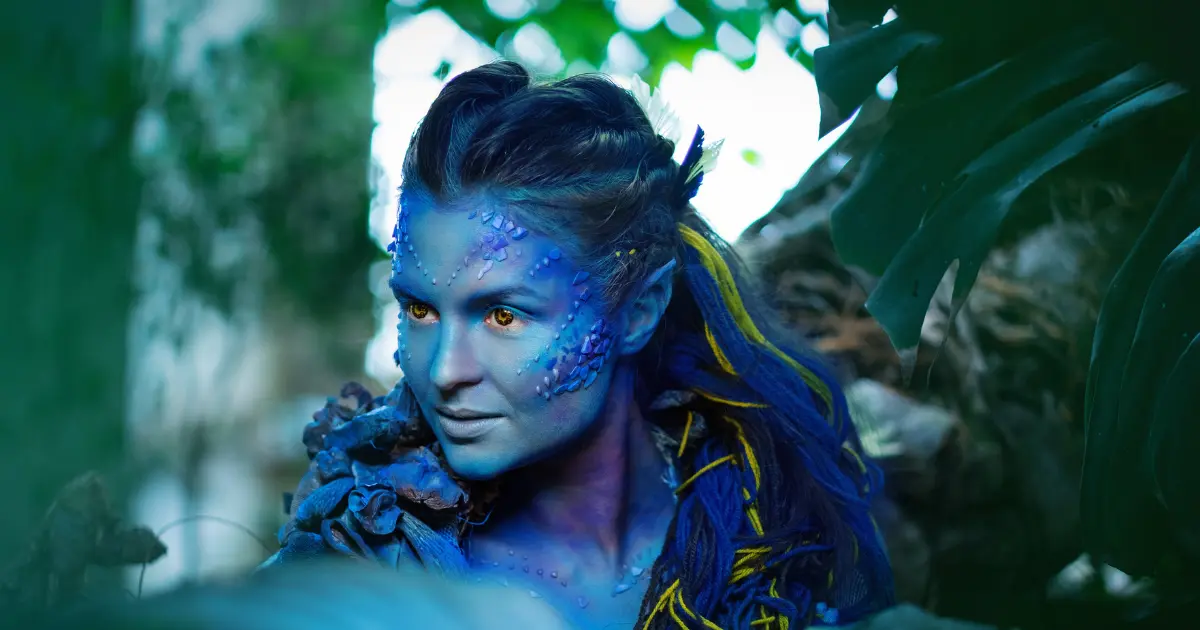
AI avatar marketing often focuses on what the technology can do under ideal conditions. Real-world production is more complicated.
| Myth | Reality |
|---|---|
| AI avatars completely replace video production. | They reduce several production tasks but still require scripting, review, editing, and quality control. |
| The most realistic avatar is always the best. | Realism matters, but suitability, consistency, clarity, and audience expectations can matter more. |
| Voice cloning makes every video sound human. | Voice quality varies with source recordings, pronunciation, pacing, and emotional delivery. |
| One avatar can represent every brand. | Different audiences and industries may require different presenter styles. |
| AI video is always cheaper. | Savings depend heavily on video volume and how much human work remains after generation. |
| A generated video is ready immediately. | Many professional workflows still require editing, fact-checking, captions, localization, and approval. |
| AI avatars are only useful for talking-head videos. | They can also be combined with screen recordings, product footage, graphics, presentations, and other media. |
The Biggest Misconception
The biggest misconception is that AI eliminates human involvement.
In reality, it changes where human effort is spent.
Instead of spending hours setting up cameras and reshooting lines, teams may spend more time on:
- Script optimization
- Brand consistency
- Fact checking
- Pronunciation
- Localization
- Quality assurance
- Content strategy
That is still a productivity improvement, but it is not the same thing as completely automated video production.
When Should You Not Use an AI Avatar?

An AI avatar isn’t automatically the right answer simply because it is faster.
There are situations where using a real person can create substantially more trust.
Sensitive Corporate Messages
For layoffs, major organizational changes, apologies, or crisis communication, audiences may expect genuine human accountability.
A synthetic presenter can communicate the words, but it may not communicate the same level of sincerity.
Emotionally Sensitive Content
Stories involving grief, personal experiences, conflict, or strong emotional situations can benefit from genuine human expression.
Technical capability does not necessarily equal emotional credibility.
Physical Demonstrations
If the audience needs to see how something physically works, showing the real object is often more useful than showing an avatar.
Examples include:
- Machinery
- Medical equipment
- Manufacturing processes
- Physical products
- Sports techniques
- Laboratory procedures
Personality-Driven Brands
A creator’s identity may be the reason people watch their content.
Replacing that person with an avatar could reduce the very authenticity that built the audience.
Situations Involving Likeness and Voice
Organizations should establish clear permission processes before creating or using a digital representation of a person.
Important questions include:
- Who authorized the avatar?
- Can the voice be cloned?
- Where can the avatar be used?
- Can the company use it after the employee leaves?
- Who controls the generated content?
- How should synthetic presenters be disclosed?
These questions become increasingly important as AI-generated digital identities become more common.
Building an AI Avatar Production Workflow at Scale
Creating one avatar video is easy compared with maintaining a library of hundreds of videos.
For enterprise teams, scalability is where the real challenge begins.
Step 1: Create Script Standards
Establish rules for:
- Sentence length
- Tone
- Brand terminology
- Pronunciation
- Calls to action
- Technical terminology
- Script length
This prevents every video from sounding completely different.
Step 2: Build Reusable Templates
Create standard templates containing:
- Avatar
- Voice
- Background
- Branding
- Captions
- Intro
- Outro
- Layout
- Call-to-action format
Templates dramatically reduce repetitive setup.
Step 3: Create a Localization Process
Don’t treat translation as the final step.
Different languages can change:
- Sentence length
- Timing
- Pronunciation
- Word order
- Cultural context
- On-screen text
A video that works perfectly in English may require visual or timing adjustments in another language.
Step 4: Introduce Version Control
For a large video library, maintain information about:
| Asset | Track |
|---|---|
| Script | Version |
| Avatar | Selected presenter |
| Voice | Voice version |
| Language | Localization |
| Content | Topic/product |
| Approval | Status |
| Publication | Date |
This makes future updates much easier.
Step 5: Keep Human QA
Before publication, check:
- Pronunciation
- Captions
- Lip synchronization
- Facial movement
- Voice quality
- Visual glitches
- Translation accuracy
- Outdated information
- Branding
The Scalable Workflow
Script → Voice Review → Avatar Selection → Generation → Human QA → Localization → Approval → Publishing
The biggest productivity improvement doesn’t necessarily come from generating the video faster.
It comes from reducing the amount of manual intervention required per video.
AI Avatar ROI: Are AI Avatars Actually Cheaper?
The monthly subscription price is only one part of the equation.
A better question is:
What does it cost to produce one approved video?
Traditional video production can involve presenters, cameras, studio time, editing, scheduling, travel, retakes, and localization.
An AI workflow can reduce several of those expenses, but it introduces other costs.
| Cost | Traditional Production | AI Avatar Workflow |
|---|---|---|
| Presenter | Often required | Usually unnecessary |
| Studio | Sometimes required | Usually unnecessary |
| Camera | Required | Not required |
| Reshoots | Potentially expensive | Generally easier to regenerate |
| Script changes | May require reshooting | Usually easier |
| Localization | Can be expensive | Easier to scale |
| Editing | Often substantial | Can be reduced |
| QA | Required | Still required |
| AI subscription | Not applicable | Required |
| Generation credits | Not applicable | May apply |
| Human review | Required | Still required |
Low-Volume Production
If a company creates only a few videos each month, an AI avatar subscription may not produce dramatic savings.
The value may instead come from convenience and faster turnaround.
Medium-Volume Production
When a company creates dozens or hundreds of videos, avoiding repeated filming and reshoots becomes much more valuable.
This is where AI avatar workflows start becoming operationally attractive.
High-Volume Production
At hundreds or thousands of videos, the biggest issue is no longer avatar generation.
It becomes:
Content operations.
Organizations need:
- Templates
- Automation
- QA
- Version management
- Localization
- Approval processes
- Asset libraries
The platform that produces the cheapest individual video isn’t necessarily the platform that produces the cheapest approved content at scale.
A Practical ROI Formula
A useful calculation is:
Cost per approved video = (software + generation + labor + editing + QA) ÷ approved videos
This is much more meaningful than comparing monthly subscription prices alone.
How to Choose the Best AI Avatar Generator
Before purchasing an AI avatar platform, answer five questions.
1. What type of videos are you creating?
Training videos require different capabilities from TikTok-style marketing videos.
2. How important is presenter realism?
If the presenter is central to the video, avatar quality becomes a primary selection factor.
3. How many videos will you produce?
High-volume users should prioritize templates, workflow management, localization, and consistency.
4. Do you need multiple languages?
If yes, investigate the entire localization workflow rather than simply checking whether the platform supports translation.
5. How much editing will humans perform?
A platform that generates 90% of your video automatically may be more valuable than one that produces a slightly better-looking avatar but requires extensive manual editing.
Which AI Avatar Generator Is Best for You?
Best for creative AI video workflows: Pollo AI
Choose Pollo AI if you want an avatar solution alongside broader AI video-generation capabilities and creative experimentation.
Best for business presenters: HeyGen
HeyGen is a strong option when the primary requirement is professional presenter-led communication, marketing, sales, or multilingual business videos.
Best for script-driven video creation: Steve AI
Steve AI is worth considering when your workflow begins with written content and you want automation to transform scripts into structured videos.
Best for design-focused teams: Canva
Canva makes the most sense when avatar videos need to exist alongside presentations, graphics, social media designs, and other branded visual assets.
Best for enterprise training: Synthesia
Synthesia is particularly suited to organizations that need structured training, onboarding, compliance, knowledge-sharing, and multilingual corporate content.
Final Verdict
The best AI avatar generator isn’t necessarily the platform with the most impressive demo or the lowest subscription price.
The right choice depends on what you’re actually trying to produce.
For creative marketers and social media creators, flexibility may matter more than enterprise controls. For businesses, presenter quality, voice consistency, localization, and workflow efficiency can be more important. For large organizations, version management and production scalability can matter more than avatar appearance.
The biggest advantage of AI avatar technology is not simply creating a digital person.
It is making repeatable video production easier.
A company that previously needed a presenter, recording session, editor, and multiple production steps for every update may be able to turn the same process into a structured workflow:
Write → Generate → Review → Localize → Approve → Publish
But AI avatars should not replace human judgment.
The strongest workflows use AI for repetitive production while people remain responsible for strategy, accuracy, emotional communication, brand decisions, and quality control.
For occasional content, an AI avatar may simply be a convenient alternative to filming.
For organizations producing large amounts of educational, marketing, training, or communication content, it can become a genuine production infrastructure.
The key is to evaluate the entire workflow, not just the avatar.
Frequently Asked Questions About AI Avatar Generators
What is an AI avatar generator?
An AI avatar generator is software that creates a digital presenter or animated character capable of delivering speech, performing gestures, or appearing in generated video content. Depending on the platform, it may work from text, images, audio, or pre-built avatars.
Which is the best AI avatar generator in 2026?
There is no single best option for every user. Pollo AI is suited to creative video workflows, HeyGen focuses strongly on presenter-based communication, Steve AI emphasizes script-to-video creation, Canva combines avatars with visual design, and Synthesia is particularly relevant to enterprise training and communication.
Can AI avatars replace real actors?
For some informational and repetitive video formats, they can reduce the need for traditional presenters. However, real people remain valuable when authenticity, personality, emotional expression, physical demonstrations, or personal credibility are central to the content.
Are AI avatar videos expensive?
They can be less expensive than traditional video production in high-volume workflows, but the actual cost depends on subscriptions, generation limits, human editing, QA, localization, and the number of videos produced.
Are AI avatars suitable for business?
Yes. Common business applications include employee training, onboarding, product education, internal communication, sales enablement, customer education, and multilingual content.
Can AI avatars speak multiple languages?
Many modern avatar platforms support multilingual video production. However, translation alone does not guarantee a high-quality localized video. Pronunciation, timing, cultural context, captions, and voice characteristics should also be reviewed.
What makes an AI avatar look realistic?
Realism depends on multiple factors, including source-image quality, facial animation, voice quality, lip synchronization, script structure, movement, pacing, and the relationship between the avatar’s visual personality and its voice.
Should companies disclose AI-generated avatars?
Disclosure requirements can depend on the context, jurisdiction, platform, and type of content. Businesses should consider transparency, consent, likeness rights, voice rights, and applicable rules before deploying synthetic presenters.
Can AI avatars be used for YouTube and social media?
Yes. AI avatars can be used for educational videos, explainers, marketing content, social posts, product videos, and other formats. However, simply using an avatar does not guarantee audience engagement. The script, hook, editing, visuals, and overall content quality remain important.
Are AI avatars better than traditional video?
Not universally. AI avatars are particularly useful when speed, repeatability, localization, and scalable information delivery are important. Traditional video can remain better when authenticity, physical demonstrations, personality, or emotional storytelling are the main objectives.

AiVoogle – AI Tutorials & AI Tools
AiVoogle is an AI-focused platform sharing practical AI tutorials, AI tools, guides, reviews, and the latest trends in artificial intelligence. Our goal is to make AI simple, useful, and accessible for everyone—from beginners and creators to marketers, developers, and businesses.
The AiVoogle team researches and covers the latest AI tools and technologies to help readers discover the right tools and learn how to use AI effectively.
Focus: AI Tutorials | AI Tools | AI Guides | AI News | AI Reviews